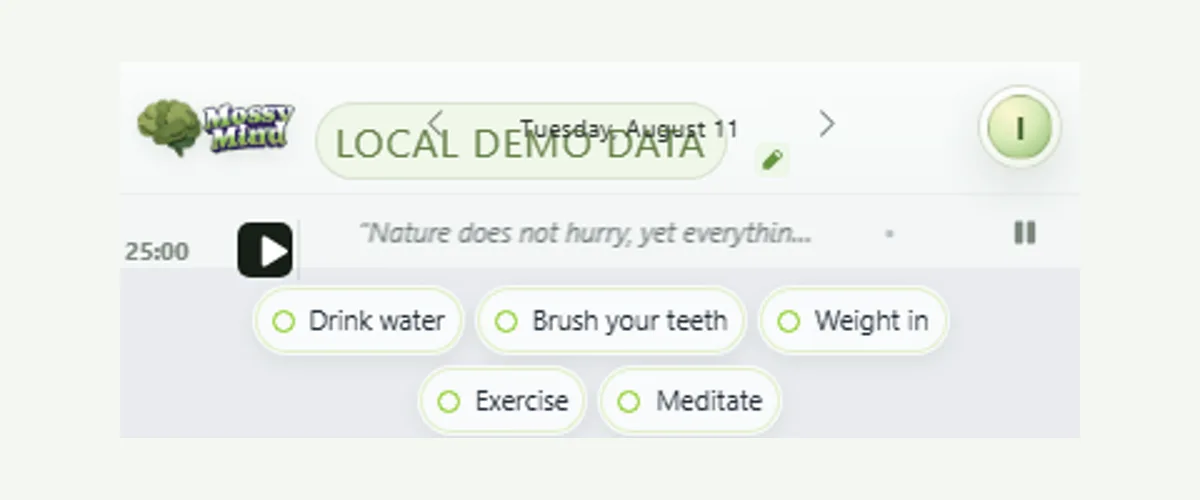
Most habit trackers turn a small daily action into a dashboard to maintain. MossyMind keeps habits in a compact bar at the top of Today. Tap a habit to complete it and tap again to undo. Completed habits move into a quieter row. A long press, or a right-click on desktop, opens a seven-day history, the current streak, and options to rename or remove the habit.
Check in without opening anything
Habits live on the same surface as your tasks, so checking one off does not require a separate app, screen, or ritual. A completed habit leaves the main row and joins a small done row, which keeps the remaining habits easy to see. If you tap the wrong one, tap it again to undo.
The calendar marks days with completed habits, so you can see the shape of a week without opening a chart. For the research on how long a new routine usually takes, read how long it takes to form a habit.
History when you want it, quiet when you do not
A long press opens the habit details: the last seven days, the current streak, and controls to rename or remove it. The history is there for orientation. It stays out of the way until you ask for it, so the daily desk does not become a scoreboard.
A missed day is information, not a reset
Streak counts restart after a missed day, but the history remains, and nothing on the desk shames you for it. In the best-known study of real-world habit formation, missing a single opportunity did not meaningfully set people back. The useful move is to do the habit at the next opportunity. What to do when you break a habit streak has a restart script.
Keep habits next to the work they support
A habit is easier to keep when its cue is visible. Because the habit bar sits beside the focus timer and the quote ribbon, a routine like “two minutes of stretching before the first focus session” has a natural place on the screen. Habit stacking and building habits with ADHD show how to choose reliable cues.
Add one habit you can keep on a bad day
- Open the plus control at the end of the habit bar.
- Name the smallest version of the habit, such as “Drink a glass of water” rather than “Be healthier.”
- Tap it when it is done; tap again if you need to undo.
- Long-press the habit after a week to review the seven-day history.
- Rename it smaller, or remove it, if it keeps getting skipped.
Research behind this page
This research explains the challenges discussed here. It does not prove that MossyMind changes ADHD symptoms or any health outcome.
- Lally et al. (2010) — How are habits formed: Modelling habit formation in the real world
96 volunteers repeated a chosen daily behavior for 12 weeks; time to reach most of its automaticity ranged from 18 to 254 days.