
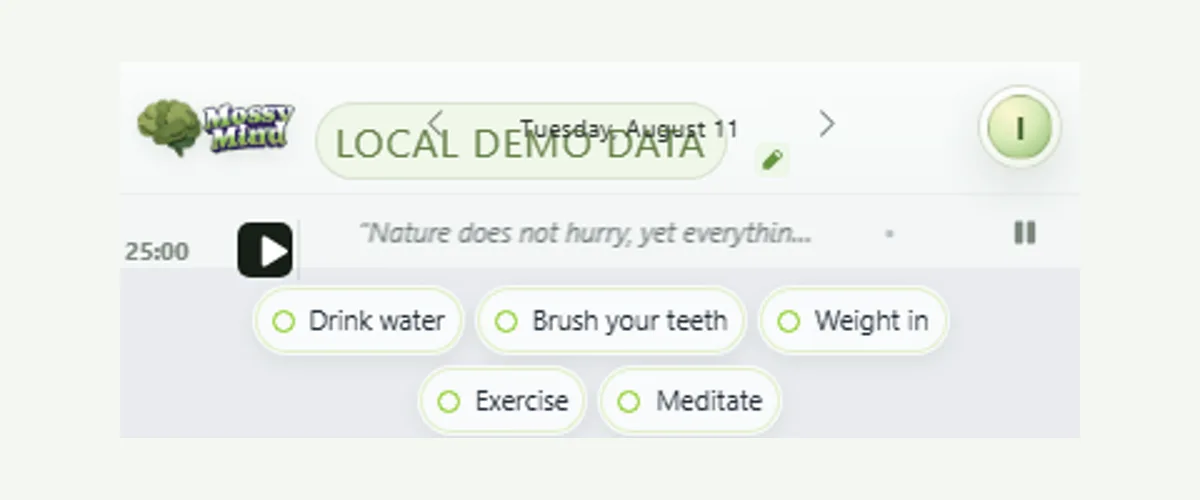
A line from Marcus Aurelius or a sentence a friend once said can reset a scattered afternoon, but only if you see it at the right moment. MossyMind keeps your saved quotes in a ribbon at the top of the daily desk. When you have more than one, the ribbon rotates slowly, and a pause button stops the motion. You can add an author, edit or delete a quote, undo a deletion, and search the whole collection.
A ribbon, not a feed
Quotes appear in one slim strip at the top of Today. They rotate at a calm pace when you have several, and the pause control stops motion entirely for anyone who prefers a still screen. Nothing is pulled from the internet or ranked by engagement; every line is one you chose.
Build a collection you can search
Add the text and an optional author. Open the collection to search by words or author, page through saved quotes, edit them, or delete one with a short undo window. Quote text is encrypted before it syncs, like the rest of your content.
Looking for lines worth keeping? Start with Stoic quotes about focus, each from a public-domain translation with its source.
Use a quote as a cue for action
The most useful quotes point at a behavior. “Begin” can be a cue to attach a short focus session to the next task. A line about what is in your control can open a two-minute note in the journal. The Stoic morning routine shows one way to pair a line with the first move of the day.
Save a quote and make it useful
- Open the quote ribbon and add the quote text.
- Add the author or source so you remember where it came from.
- Pause rotation if you would rather keep one line in view.
- Search the collection when you need a specific idea.
- Pair a quote with one action, such as starting a focus session.